vr/ar
An interactive AR/VR visualization of IceCube neutrino events.
This content only works on a Meta Quest 3 (or Quest Pro) with color passthrough AR support, opened in the Meta Quest Browser — it can't be viewed on this device. Here's a short preview of what it looks like:
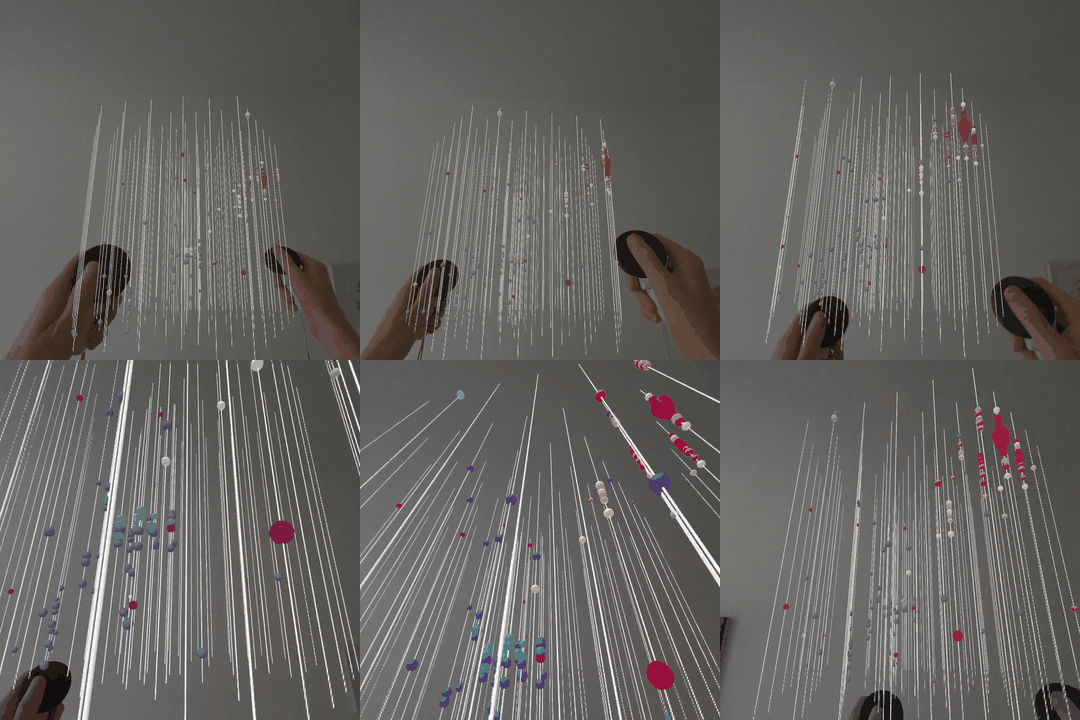
This is an augmented reality visualization of real IceCube neutrino events, built with A-Frame and WebXR. It renders the actual detector string geometry and lets you step inside a neutrino interaction: the colored spheres are photon hits recorded by the detector's optical sensors, colored by arrival time. You can walk around and through the detector, scale and reposition it in your room, and try to guess the neutrino's direction from the pattern of hits before revealing the true direction.
Requires a Meta Quest 3 (or Quest Pro) with color passthrough AR support, opened in the Meta Quest Browser.
Once in AR:
- Both triggers (held together): move, rotate, and scale the detector — pull your hands apart to scale it up, twist to rotate, and move both hands to reposition it.
- Right thumbstick: rotate the detector left/right.
- Both grip buttons (held together): aim a light-blue line between your controllers to mark your guess of the neutrino's direction.
- X button (left controller): reveal the true neutrino direction (magenta line) and compare it to your guess.
- A button (right controller): load the next neutrino event.
- Y button (left controller): skip the in-headset tutorial hints.
- B button (right controller): exit AR.